
CredSSP (Credential Security Support Provider) is a security protocol used in Windows environments for authentication and delegation of user credentials. It’s commonly used in Remote Desktop Protocol (RDP) sessions and other remote management tools.
The “CredSSP Encryption Oracle Remediation” error typically occurs when there is a mismatch or a security vulnerability is detected between the client and server when negotiating encryption protocols during an RDP connection. This error is a security feature implemented by Microsoft to protect against potential security threats.
A security update has been developed to rectify the authentication process in the Credential Security Support Provider protocol (CredSSP). To address this critical issue, this update ensures the proper validation of authentication requests, effectively mitigating the vulnerability and safeguarding systems from potential exploitation.
1. SCENARIO
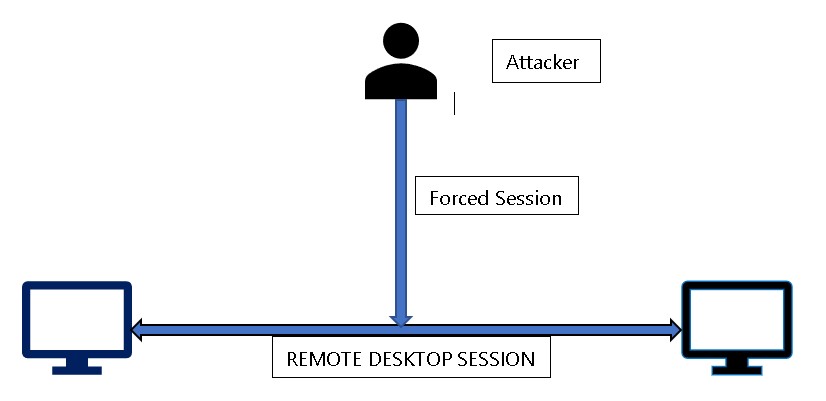
2. RDP SESSION
An update released by Microsoft (KB 4093492) on May 8, 2018, for Windows 10 Operation System was targeted to change the default settings CredSSP from Vulnerable to Mitigated.
A full list of the update and patches for all platforms can be obtained from here.
However, post patching this caused an issue where the patched clients were blocked from communicating with unpatched servers over RDP protocols.
This has been reported to cause an error thrown by Windows RDP as below:
![[Solved] CredSSP Encryption Oracle Remediation](https://www.netwoven.com/wp-content/uploads/2020/06/img2-2.jpg)
3. WORKAROUND
Use the group policy settings changes described below to rollback the changes to ‘Vulnerable’ state to allow RDP access.
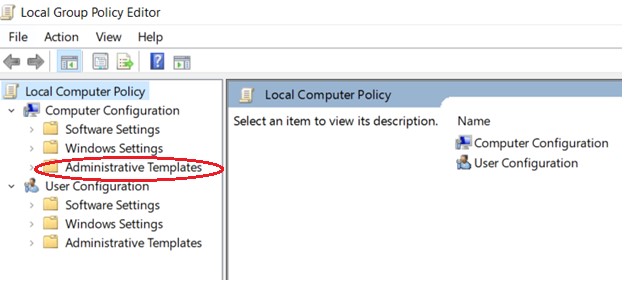
- Open Group Policy Editor, by executing gpedit.msc
- Policy path: Computer Configuration -> Administrative Templates -> System -> Credentials Delegation
- Run gpedit.msc and expand Administrative Templates
Expand System
![[Solved] CredSSP Encryption Oracle Remediation](https://www.netwoven.com/wp-content/uploads/2020/06/img4-2.jpg)
Expand Credential Delegation
![[Solved] CredSSP Encryption Oracle Remediation](https://www.netwoven.com/wp-content/uploads/2020/06/img5-2.jpg)
Edit Encryption Oracle Remediation
![[Solved] CredSSP Encryption Oracle Remediation](https://www.netwoven.com/wp-content/uploads/2020/06/img6-2.jpg)
Select Enabled and change Production Level to Vulnerable
![[Solved] CredSSP Encryption Oracle Remediation](https://www.netwoven.com/wp-content/uploads/2020/06/img7-2.jpg)
3. Run the command gpupdate /force to apply group policy settings.
4. Your remote desktop connection will be working fine now.
CONCLUSION
Please let us know if this has solved your error. However, we need to ensure that future updates are installed as and when released by Microsoft so that the vulnerability is not exposed. This is just a workaround and defeats the purpose of the patching